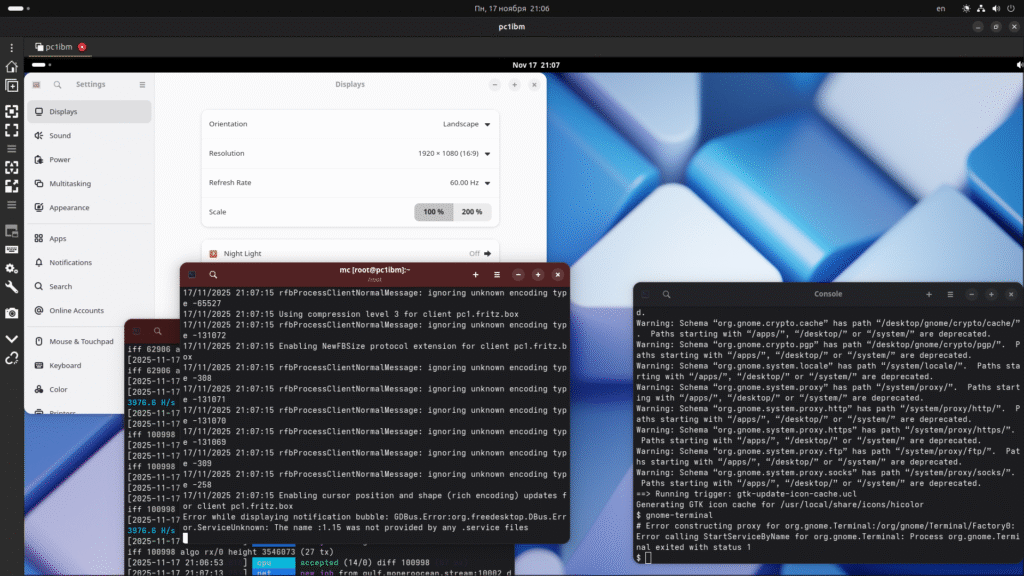
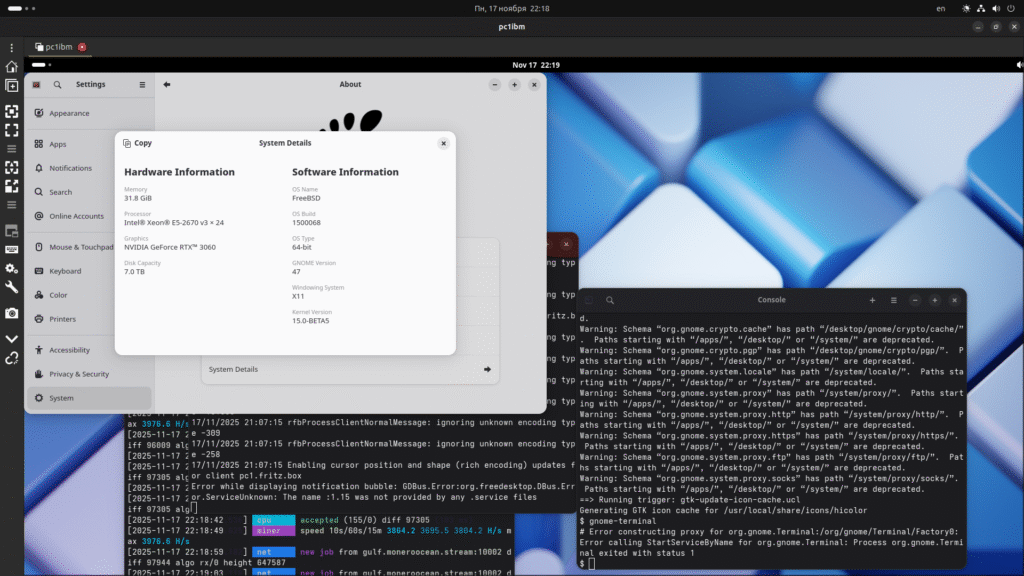
Поскольку перенесены драйвера от Линукса – несколько все поменялось. Зато работает, есть смысл настраивать видюху, а не подключать монитор к встроеной плате или выходу с процессора Intel, что не лучший вариант.
До 15 версии – работал обычный вариант. С драйвером от Nvidia и дополнительно драйвером ядра системы.
kldload nvidia
kldload nvidia-modeset
Но сейчас вышли новые драйвера, использующие прямой доступ к видюхе, direct render management . DRM . И еще один драйвер режима ядра – drm-kmod .
** да, теперь драйвер Нвидии полностью работает, и вычисления cuda то же. и это даже не Ubuntu а FreeBSD // год 2025, версия дров 580.108 и 14 лет не прошло, платы 750ti, 1050 , 1660 8g, RTX3060 .. уже можно хоть одновременно в нейросеть играть и добывать Монеро.. а игрушку запускал в виде теста еще в 2019, только на линуксе убунту. На фряхе не было в портах .. будет.
разбор по ошибке – если не загружается модуль ядра.
- не возможно устранить ошибку – не пересобрав ядро как GENERIC ..
- где то я выкладывал скрипт – не надо пока его искользовать – набрать просто руками –
(версия то 15 или сей час 15.2 .. вроде на 15 Release работает, core only GENERIC )
root@pc1ibm:~ # mc -uroot@pc1ibm:~ # kldstat
Id Refs Address Size Name
1 100 0xffffffff80200000 1f4da98 kernel
2 1 0xffffffff8214e000 6227e8 zfs.ko
3 1 0xffffffff82772000 62208 linux64.ko
4 7 0xffffffff827d5000 21848 linux_common.ko
5 3 0xffffffff827f7000 d3a8 mqueuefs.ko
6 1 0xffffffff8333c000 3570 fdescfs.ko
7 1 0xffffffff83340000 73c0 linprocfs.ko
8 1 0xffffffff83348000 440c linsysfs.ko
9 1 0xffffffff8334d000 14a88 nvidia-drm.ko
10 1 0xffffffff83362000 8a190 drm.ko
11 1 0xffffffff833ed000 22b8 iic.ko
12 1 0xffffffff833f0000 4120 linuxkpi_video.ko
13 2 0xffffffff833f5000 7358 dmabuf.ko
14 1 0xffffffff833fd000 3378 lindebugfs.ko
15 2 0xffffffff83600000 605d178 nvidia.ko
16 2 0xffffffff83401000 32320 linux.ko
17 1 0xffffffff83434000 1650f8 nvidia-modeset.ko
18 1 0xffffffff8359a000 14958 fusefs.ko
19 3 0xffffffff8965e000 5b5c0 vboxdrv.ko
20 1 0xffffffff835af000 55f0 vboxnetadp.ko
21 1 0xffffffff835b5000 4248 vboxnetflt.ko
22 2 0xffffffff835ba000 abb8 netgraph.ko
23 1 0xffffffff835c5000 31e0 ng_ether.ko
24 1 0xffffffff835c9000 3390 acpi_wmi.ko
25 1 0xffffffff835cd000 21e8 hms.ko
26 1 0xffffffff835d0000 30a8 hidmap.ko
27 1 0xffffffff835d4000 4250 ichsmb.ko
28 1 0xffffffff835d9000 2178 smbus.ko
29 1 0xffffffff835dc000 3400 uchcom.ko
30 1 0xffffffff835e0000 4e10 ucom.ko
root@pc1ibm:~ # kldlist в rc_conf : linux64 nvidia-drm vbox.. RTX3060 driver 580 PCI:2:0:0 посмотреть pciconf -lv ;
для автозапуска gnome47 под рутом (! СБ не пропустит ) надо запустить vino-server скриптом.основная часть драйвера ( получается, Nvidia настраивается , как Radeon )
===>  Staging for drm-66-kmod-6.6.25.1500068_6
===>   Generating temporary packing list
===> dmabuf (install)
install -T release -o root -g wheel -m 444   dmabuf.ko /usr/ports/graphics/drm-66-kmod/work/stage/boot/modules/
===> ttm (install)
install -T release -o root -g wheel -m 444   ttm.ko /usr/ports/graphics/drm-66-kmod/work/stage/boot/modules/
===> drm (install)
install -T release -o root -g wheel -m 444   drm.ko /usr/ports/graphics/drm-66-kmod/work/stage/boot/modules/
===> amd (install)
===> amd/amdgpu (install)
install -T release -o root -g wheel -m 444   amdgpu.ko /usr/ports/graphics/drm-66-kmod/work/stage/boot/modules/
===> radeon (install)
install -T release -o root -g wheel -m 444   radeonkms.ko /usr/ports/graphics/drm-66-kmod/work/stage/boot/modules/
===> i915 (install)
install -T release -o root -g wheel -m 444   i915kms.ko /usr/ports/graphics/drm-66-kmod/work/stage/boot/modules/
====> Compressing man pages (compress-man)
===>  Installing for drm-66-kmod-6.6.25.1500068_6
===>  Checking if drm-66-kmod is already installed
===>   Registering installation for drm-66-kmod-6.6.25.1500068_6
Installing drm-66-kmod-6.6.25.1500068_6...
The drm-66-kmod port can be enabled for amdgpu (for AMD
GPUs starting with the HD7000 series / Tahiti) or i915kms (for Intel
APUs starting with HD3000 / Sandy Bridge) through kld_list in
/etc/rc.conf. radeonkms for older AMD GPUs can be loaded and there are
some positive reports if EFI boot is NOT enabled.

For amdgpu: kld_list="amdgpu"
For Intel: kld_list="i915kms"
For radeonkms: kld_list="radeonkms"

Please ensure that all users requiring graphics are members of the
"video" group.

Please note that this package was built for FreeBSD 15.0.
If this is not your current running version, please rebuild
it from ports to prevent panics when loading the module.

===>  Cleaning for drm-66-kmod-6.6.25.1500068_6
root@pc1ibm:~ # make -C /usr/ports/graphics/drm-66-kmod deinstall install clean
по запуску окошек Gnome – 47 и 48 версия –
Access can be granted by adding the user(s) to the video group.
  pw groupmod video -m jerry

In order to launch your session. Copy 'xprofile' into your home directory:
  cp /usr/local/share/examples/gnome-shell/xprofile ~/.xprofile

Create or edit /var/db/AccountsService/users/YOURLOGIN file:
  [User]
  Language=ru_RU.UTF-8 # e.g. for Russiche users
  Session=gnome-xorg
  SystemAccount=false

Replace YOURLOGIN by your login.

Currently only 'gnome-xorg' is supported and tested.
=====
Message from gnome-shell-extensions-47.6_1:

--
In order to launch your session. Copy 'xprofile' into your home directory:
  cp /usr/local/share/examples/gnome-shell/xprofile ~/.xprofile

Create or edit /var/db/AccountsService/users/YOURLOGIN file:
  [User]
  Language=fr_FR.UTF-8 # e.g. for French users
  Session=gnome-classic-xorg
  SystemAccount=false

Replace YOURLOGIN by your login.

Currently only 'gnome-classic-xorg' is supported, and tested.
--- nvidia-drm-gem-user-memory.o ---
6 warnings generated.

--- nvidia-drm-freebsd-lkpi.o ---

--- nvidia-drm-modeset.o ---

--- nvidia-drm-fence.o ---
6 warnings generated.

--- nvidia-drm-drv.o ---
6 warnings generated.

--- nvidia-drm-crtc.o ---

--- nvidia-drm.ko.full ---
ld -m elf_x86_64_fbsd -warn-common --build-id=sha1 -T /usr/src/sys/conf/ldscript.kmod.amd64 -r  -o nvidia-drm.ko.full nvidia-drm.o nvidia-drm-drv.o nvidia-drm-utils.o nvidia-drm-crtc.o nvidia-drm-encoder.o nvidia-drm-connector.o nvidia-drm-gem.o nvidia-drm-fb.o nvidia-drm-modeset.o nvidia-drm-fence.o nvidia-drm-helper.o nv-kthread-q.o nv-pci-table.o nvidia-drm-gem-nvkms-memory.o nvidia-drm-gem-user-memory.o nvidia-drm-gem-dma-buf.o nvidia-drm-format.o nvidia-drm-os-interface.o nvidia-drm-freebsd-lkpi.o
:> export_syms
awk -f /usr/src/sys/conf/kmod_syms.awk nvidia-drm.ko.full  export_syms | xargs -J % objcopy % nvidia-drm.ko.full
--- nvidia-drm.ko.debug ---
objcopy --only-keep-debug nvidia-drm.ko.full nvidia-drm.ko.debug
--- nvidia-drm.ko ---
objcopy --strip-debug --add-gnu-debuglink=nvidia-drm.ko.debug  nvidia-drm.ko.full nvidia-drm.ko
===>  Staging for nvidia-drm-66-kmod-580.105.08.1500068
===>   nvidia-drm-66-kmod-580.105.08.1500068 depends on file: /boot/modules/drm.ko - found
===>   nvidia-drm-66-kmod-580.105.08.1500068 depends on file: /boot/modules/nvidia.ko - found
===>   Generating temporary packing list
install -T release -o root -g wheel -m 444   nvidia-drm.ko /usr/ports/graphics/nvidia-drm-66-kmod/work/stage/boot/modules/
/bin/mkdir -p /usr/ports/graphics/nvidia-drm-66-kmod/work/stage/usr/local/share/X11/xorg.conf.d/
install  -m 0644 /usr/ports/graphics/nvidia-drm-66-kmod/work/20-nvidia-drm-outputclass.conf /usr/ports/graphics/nvidia-drm-66-kmod/work/stage/usr/local/share/X11/xorg.conf.d/
====> Compressing man pages (compress-man)
===>  Installing for nvidia-drm-66-kmod-580.105.08.1500068
===>  Checking if nvidia-drm-66-kmod is already installed
===>   Registering installation for nvidia-drm-66-kmod-580.105.08.1500068
Installing nvidia-drm-66-kmod-580.105.08.1500068...
Modesetting must be enabled to use nvidia-drm.ko for graphics. This can be done
by setting the modeset sysctl, the equivalent of the modeset kernel parameter
on Linux.

hw.nvidiadrm.modeset=1

This must be set before loading nvidia-drm.ko, most easily done by placing the
above in /boot/loader.conf.
cd /usr/src
make kernel
make buildworld
make installworld ( и там попробовать mergemaster с ключами .. найти не сложно, или потом добавить свои настройки.. в 15.1 нет уже, вручную пока все)
не забыть потом набрать shutdown -r now
Если запускается – можно продолжать, не надобно устранять другие неполадки – например
с ssd диском. ( boot/kernel.old сохраняется для восстановления, не просто так – может сеть не увидеть или диски или запустится а звука нет – в этом случае можно посмотреть инструкцию или файл UPdating )
# cat   /etc/X11/xorg.conf    :)  file:///etc/X11/xorg.conf  ): hacker open web browser..

..
Section "ServerLayout"

    #Screen      1  "Screen1" RightOf "Screen0"
    Identifier     "X.org Configured"
    Screen      0  "Screen0" 0 0
    InputDevice    "Mouse0" "CorePointer"
    InputDevice    "Keyboard0" "CoreKeyboard"
EndSection

Section "Files"
    ModulePath      "/usr/local/lib/xorg/modules"
    FontPath        "/usr/local/lib/X11/fonts/misc/"
    FontPath        "/usr/local/lib/X11/fonts/TTF/"
    FontPath        "/usr/local/lib/X11/fonts/OTF/"
    FontPath        "/usr/local/lib/X11/fonts/Type1/"
    FontPath        "/usr/local/lib/X11/fonts/100dpi/"
    FontPath        "/usr/local/lib/X11/fonts/75dpi/"
EndSection

Section "Module"
    Load           "dbe"
    Load           "dri2"
    Load           "ddc"
    Load           "vbe"
    Load           "glamoregl"
    Load           "bitmap"
    Load           "freetype"
    Load           "extmod"
    Load           "record"
    Load           "glx"
EndSection

Section "ServerFlags"
    Option         "AllowMouseOpenFail" "true"
    Option         "IgnoreABI" "on"
    Option         "AIGLX" "true"
EndSection

Section "InputDevice"
    Identifier     "Keyboard0"
    Driver         "kbd"
EndSection

Section "InputDevice"
    Identifier     "Mouse0"
    Driver         "mouse"
    Option         "Protocol" "auto"
    Option         "Device" "/dev/sysmouse"
    Option         "ZAxisMapping" "4 5 6 7"
EndSection

Section "Monitor"

#    UseModes       "Modes[0]"
   # Option         "ModeValidation" "NoVertRefreshCheck,NoHorizSyncCheck"
    Identifier     "Monitor0"
    VendorName     "Philips"
    ModelName      "Philips"
    HorizSync       28.0 - 83.0
    VertRefresh     43.0 - 75.0
    ModeLine       "1280x1024_60" 108.00 1280 1328 1440 1688 1024 1025 1028 1066 +hsync +vsync
    ModeLine       "1280x768_60" 68.25 1280 1328 1360 1440 768 771 778 790 -hsync -vsync
    ModeLine       "1024x768_85" 94.50 1024 1072 1168 1376 768 769 772 808 +hsync +vsync
    ModeLine       "1024x768_60" 65.00 1024 1048 1184 1344 768 771 777 806 -hsync -vsync
    ModeLine       "1280x1024_n" 109.00 1280 1368 1496 1712 1024 1027 1034 1063 -hsync +vsync
    Option         "Preferred Mode" "1280x768_60"
#    Option         "DPMS"
EndSection

Section "Monitor"
    Identifier     "Monitor1"
    VendorName     "Monitor Vendor"
    ModelName      "Monitor Model"
EndSection

Section "Device"

#    Driver         "scfb"
    Identifier     "Card0"
    Driver         "nvidia"
    VendorName     "NVIDIA Corporation"
    BusID         "PCI:2:0:0"
EndSection

Section "Screen"

#    Option         "UseEDIDFreqs" "False"
#    Option         "UseEDIDDpi" "False"
#    Option         "IgnoreEDID" "True"
#    Option         "ModeValidation" "NoVesaModes,NoXServerModes,NoEDIDModes"
    Identifier     "Screen0"
    Device         "Card0"
    Monitor        "Monitor0"
    DefaultDepth    24
    Option         "MetaModes" "1280x1024_n"
#   Option         "metamodes"  "CRT-0: nvidia-auto-select +1280+0"
    SubSection     "Display"
        Viewport    0 0
        Depth       24
        Modes      "1280x1024_n"
    EndSubSection
    SubSection     "Display"
        Viewport    0 0
        Depth       16
        Modes      "1280x1024_n"
    EndSubSection
EndSection
file:///etc/fstab

fdesc /dev/fd fdescfs rw 0 0
proc /proc procfs rw 0 0
linprocfs /compat/linux/proc linprocfs rw 0 0
linsysfs /compat/linux/sys linsysfs rw 0 0
file rc.conf – auto start Gnome + Oracle VirtualBox 7.2 RTX3060 Nvidia graphics + CUDA compute (Mesa)
sshd_enable="YES"
moused_nondefault_enable="NO"
kld_list="linux64 nvidia-drm fusefs vboxdrv vboxnetadp"
# Set dumpdev to "AUTO" to enable crash dumps, "NO" to disable
#dumpdev="AUTO"
#zfs_enable="YES"
gdm_enable="YES"
dbus_enable=YES
devd_enable=YES
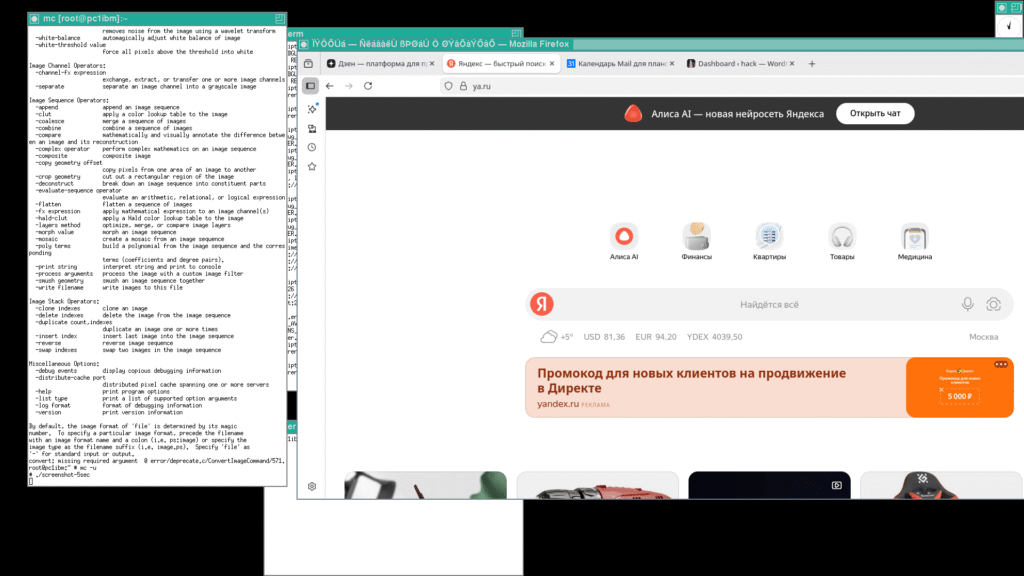
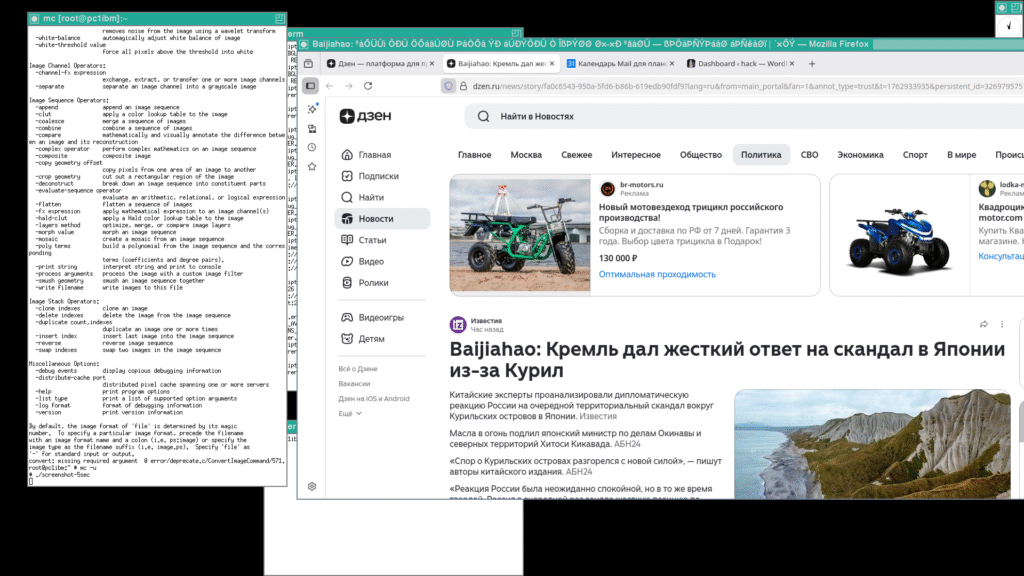
( use Convert from ImageMagick – screenshot when runs Xorg, TWM – not start Gnome)
- графическая оболочка запускается командой startx – и часть приложений уже может работать. От Gnome запущен gnome-terminal – bash оболочка командной строки в графике. И браузер firefox.
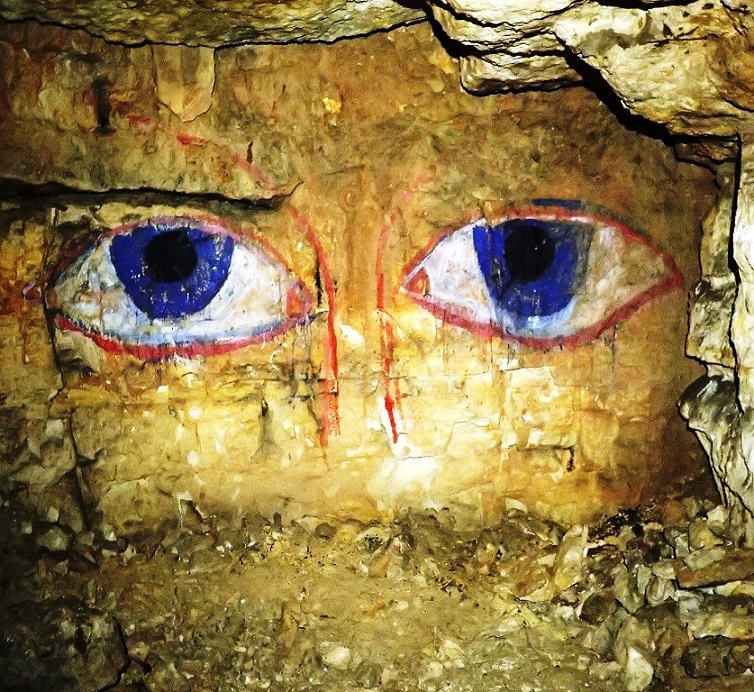
( Rassolnikov // Nikolaew – Cave .. Forest daemon Shiga forest master come from ancient old- Russian Indo – Arian legends ) .. будет обзор по туристическому объекту Мань пупу нер – кто туда добрался, много узнает про создание этого мира и про древних богов. Да и посмотрит на их скульптуры. А вдруг и увидеть сможет – вырвется из-под земли капля, как из жидкого металла, и уйдет в темноту , великий космос. Останется только немножко курумника, как называют местные, крупные раздробленые камешки.
..
Установка Gnome 48 из портов. https://codeberg.org/olivierd/freebsd-gnome
Надо на русский более понятно перевести, порты – это исходный текст программы, с исправлениями под нашу операционку – то есть FreeBSD, а пакеты – уже сбранные программы, которые могут сразу установится, менеджером пакетов pkg.
Gnome требует для запуска – дрйвер от видюхи (да и саму видюху) , поэтому сообщение на белом экране – что что то пошло не так – это не запускается графика, компоненты драйвера.
- по порядку – пересобираем из портов – сначала драйвер __ пример для видюхи nvidia, с radeon чуть проще – drm и amdgpu настроить в etc/X11/xorg.conf __ драйвер это сейчас в портах x11/nvidia-580 x11/nvidia-580-kmod – оба надо пересобрать, и перезагрузиться. При этом – должен быть исходник для программ ядра, /usr/src, и ядро должно быть запущено обычное, то есть полное GENERIC. (на банкомате, где ядро упрощенное – не пойдет)
- третья часть – программисты добавили драйвер прямого управления видюхой. graphics/drm drm-kmod nvidia-drm-kmod тоже надо пересобрать и опять перезагрузиться.
- Драйвер – его часть – использует эмуляцию linux – сейчас ubuntu или лучше rocky linux . Настроить, и опять перезапустить, kldload linux64 подгрузит сразе три модуля ядра. и потом запустится Nvidia – по команде kldload nvidia-drm не будет ошибки. и подгрузится еще nvidia-modeset и netgraph – для чего то слушает сеть, но – работает.
(ошибку можно посмотреть – набрав в командной строке dmesg – команда выведет последние сообщения.)
Так причина сразу понятна – пересобрать надо все программы и их части, что бы все было одной версии и одного номера сборки. Это не так сложно, все обновить и собрать заново из исходников.
что то он вообще не запускается. Хотя – даже проверка пользователя и первый экран работают, ключ выдается – в сообщениях, а экран зависает. Наверно, с эмулятором линухи какой- то косяк, опять.
Крыска работает. ( xfce и быстрее намного, с менеджером sddm / sddm_enable=”YES” ; gdm_enable=”NO”, и все то же самое остальное, drm_kmod и линукс подгрузить , и Xorg на Нвидию настроить.. )
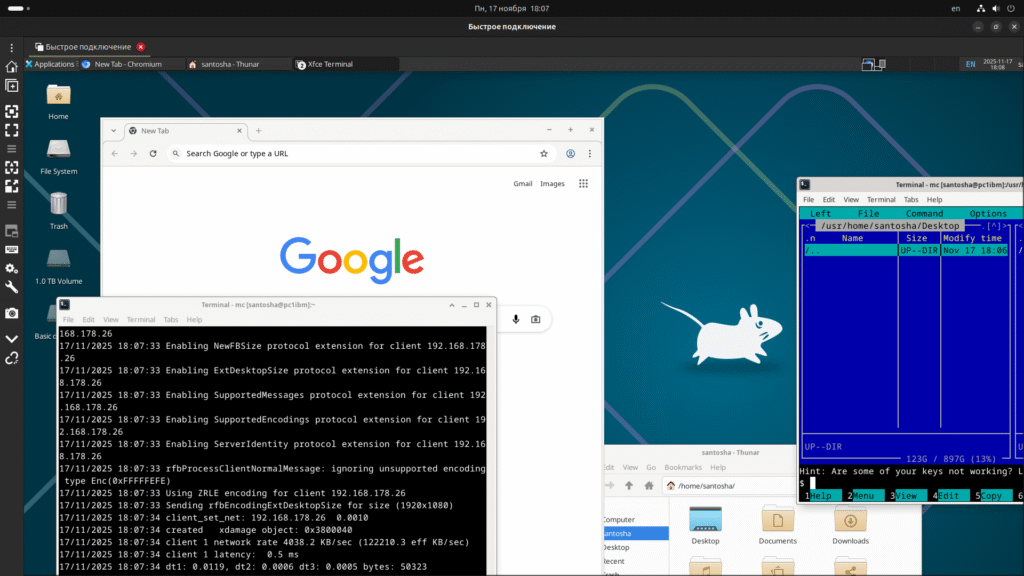
Gnome тоже работает, почему то только не classic?? и запустив из sddm –

Solved drm-kmod on FreeBSD 14.1 – kernel mismatch
- Thread starter Keve
- Start date

Keve
I just built graphics/drm-kmod on my Dell Optiplex 7050 (no dedicated graphics card, using only the integrated intel HD Graphics 630).
Both “make” and “make install” succeeded. But when I try to load the i915kms.ko module I get an error message:
“KLD i915kms.ko: depends on kernel – not available or version mismatch”
Fresh install of FreeBSD 14.1R/amd64 + pkg installed git, then fetched “src” and “ports” as described in the handbook. Then also run a “freebsd-update fetch install”, so freebsd-version -uk now shows 14.1-RELEASE and 14.1-RELEASE-p2. Then pkg installed xorg, cinnamon, and then built /usr/ports/graphics/drm-kmod.
Anybody with better results on 14.1R?
Suggestions?
tingo
Sometimes, the source you have is not the correct version. What does egrep "^BRANCH|^REVISION" /usr/src/sys/conf/newvers.sh show on your machine?
(from your description, freebsd-update should have updated the sources to the correct version)
OP
Keve
What does
egrep "^BRANCH|^REVISION" /usr/src/sys/conf/newvers.shshow on your machine?
REVISION=”14.1″
BRANCH=”RELEASE-p2″
Erichans
What is the output of pkg info | grep drm- ?
P.S.
so freebsd-version -uk now shows 14.1-RELEASE and 14.1-RELEASE-p2
By what you have written you have the right 14.1-R running. This probably won’t matter, but the version of the running kernel is what counts: freebsd-version -k (the u is the installed kernel version)freebsd-version -r (the k is the installed kernel version)
Sorry for the mixup.
OP
Keve
What is the output of
pkg info | grep drm-?
drm-61-kmod-6.1.92
drm-kmod-20220907_3
gpu-firmware-kmod-20240401,1
libdrm-2.4.122,1
T-Daemon
Keve, please show us pkg info -A drm-61-kmod, in particular “FreeBSD_version” is of interest, and freebsd-version -kru
Erichans
This looks ok. Edit: note T-Deamon’s message.
Did you install 14.1-RELEASE as a binary install, that is from an image ?
Can you give the output of uname -a ?
T-Daemon
freebsd-version -k(the u is the installed kernel version)
You are slightly off:
freebsd-version(1)
Code:
     -k          Print the version and patch level of the installed kernel.
                 Unlike uname(1), if a new kernel has been installed but the
                 system has not yet rebooted, freebsd-version will print the
                 version and patch level of the new kernel.

     -r          Print the version and patch level of the running kernel.
                 Unlike uname(1), this is unaffected by environment variables.

     -u          Print the version and patch level of the installed userland.
                 These are hardcoded into freebsd-version during the build.
OP
Keve
show us
pkg info -A drm-61-kmod, in particular “FreeBSD_version” is of interest, andfreebsd-version -kru
# pkg info -A drm-61-kmod
drm-61-kmod-6.1.92:
FreeBSD_version: 1401000
# freebsd-version -kru
14.1-RELEASE
14.1-RELEASE
14.1-RELEASE-p2
OP
Keve
Did you install 14.1-RELEASE as a binary install, that is from an image ?
Can you give the output ofuname -a?
Yes, I installed from the official 14.1R image written to a flash drive.
# uname -a
FreeBSD testbsd141 14.1-RELEASE FreeBSD 14.1-RELEASE releng/14.1-n267679-10e31f0946d8 GENERIC amd64
OP
Keve
I found what went wrong. T-Daemon led me to it (appreciated!).
I wiped and reinstalled FreeBSD 14.1R, selecting src and ports too to be installed. Then built graphics/drm-kmod, and it worked just fine. Then I run “freebsd-update fetch install”, rebooted, and the drm-kmod built before the update still worked fine.
I wiped and reinstalled again. This time NOT installing src and ports from the tgz. Then used git to fetch src and ports. However, this time, after mygit clone -o freebsd https://git.FreeBSD.org/src.git /usr/src
… I also run …cd /usr/srcgit checkout releng/14.1git pull --rebase; git pull
The last one was not actually necessary.
So, this made the difference. Without thegit checkout releng/14.1
I was fetching src for 15.0 CURRENT. I was not aware of that earlier. Obviously did not read the handbook carefully. This “git” way of things in 14 is too new for me.
Apparently, I fetched src for 15.0 CURRENT, and then my freebsd-update fetch install fetched src for 14.1R-p? overwriting some (but not all) src files. So my system kept saying it is 14.1-RELEASE-p2, but building drm-kmod obviously compiled in remaining portions from 15.0 CURRENT. Hence the resulting drm-kmod not being OK with my kernel.
All is good now.
Thanks for the pointers everyone! Lesson learnt.
OP
Keve
What does
egrep "^BRANCH|^REVISION" /usr/src/sys/conf/newvers.shshow on your machine?
This is a clever thing to check during all kinds of src/sys issues. Useful one-liner to keep in my FreeBSD notes.
Thanks Torfin!
tingo
Yes, it has saved me a few times.
You must log in or register to reply here.
Share:
Bluesky LinkedIn Reddit Pinterest Tumblr WhatsApp Link
Community platform by XenForo® © 2010-2025 XenForo Ltd.
The mark FreeBSD is a registered trademark of The FreeBSD Foundation and is used by The FreeBSD Project with the permission of The FreeBSD Foundation.
- This site uses cookies to help personalise content, tailor your experience and to keep you logged in if you register.
By continuing to use this site, you are consenting to our use of cookies. AcceptLearn more…
Solved Nvidia DRM not working
- Thread starter freezr
- Start date

freezr
Hi guys,
I noticed that my Xorg states I do not have enable DRM on my system:
Code:
[ 18072.672] (WW) VGA arbiter: cannot open kernel arbiter, no multi-card support

[ 18073.063] (WW) NVIDIA: No DRM device: No direct render devices found.

[ 18074.158] (WW) NVIDIA(0): Failed to request fliplock.
This my GPU:
Code:
pciconf -lv|grep -B4 VGA
vgapci0@pci0:1:0:0:    class=0x030000 rev=0xa1 hdr=0x00 vendor=0x10de device=0x1618 subvendor=0x1558 subdevice=0x7703
    vendor     = 'NVIDIA Corporation'
    device     = 'GM204M [GeForce GTX 970M]'
    class      = display
    subclass   = VGA
nvidia-driver and nvidia-drm-kmod are installed, below my (partial) rc.conf:
Code:
dbus_enable="YES"
kld_list="nvidia nvidia-modeset fusefs"
lightdm_enable="YES"
cupsd_enable="YES"
devfs_system_ruleset="system"
avahi_daemon_enable="YES"
dsbmd_enable="YES"
#wlans_iwm0="wlan0"
#ifconfig_wlan0="WPA DHCP"
saned_enable="YES"
Xorg:
Code:
$ cat 10-screen.conf
Section "Screen"
    Identifier     "Screen0"
    Device         "Device0"
    Monitor        "Monitor0"
    DefaultDepth    24
    Option         "Stereo" "0"
    Option         "nvidiaXineramaInfoOrder" "DFP-5"
    Option         "metamodes" "DP-0: nvidia-auto-select +0+0 {ForceCompositionPipeline=On, ForceFullCompositionPipeline=On}, DP-3: nvidia-auto-select +1920+0 {ForceCompositionPipeline=On, ForceFullCompositionPipeline=On}"
    Option         "SLI" "Off"
    Option         "MultiGPU" "Off"
    Option         "BaseMosaic" "off"
    SubSection     "Display"
        Depth       24
    EndSubSection
EndSection

$ cat 20-nvidia.conf
Section "Device"
    Identifier     "Device0"
    Driver         "nvidia"
    VendorName     "NVIDIA Corporation"
    BoardName      "NVIDIA GeForce GTX 970M"
EndSection
What am I doing wrong? ?
Thanks! ?

SirDice
Staff member
Administrator
Moderator
Code:
kld_list="nvidia nvidia-modeset fusefs"
Remove nvidia and nvidia-modeset and add nvidia-drm. Also add hw.nvidiadrm.modeset=1 to /boot/loader.conf
.
OP
freezr
Remove
nvidiaandnvidia-modesetand addnvidia-drm. Also addhw.nvidiadrm.modeset=1to/boot/loader.conf.
Thank you, this is not written in the handbook… This might be the cause behind my issues with XFCE… ?
SirDice
Staff member
Administrator
Moderator
Handbook only mentions x11/nvidia-driver (and its legacy versions). For that to work you only need nvidia-modeset in kld_list. The DRM drivers the handbook talks about are for Intel or AMD graphics, not NVidia.
T-Aoki
You should read messages shown on install, or read pkg-message of the port you installed. The same pkg-message
file are in graphics/nvidia-drm-[510|515|61]-kmod ports.
Note that some ports which need some substitutions depending on build options etc. has it as files/pkg-message.in
.
If it is properly recorded in pkg database, you can read, for example, with pkg info --pkg-message nvidia-drm-kmod.
OP
freezr
You should read messages shown on install, or read pkg-message of the port you installed. The samepkg-message
file are in graphics/nvidia-drm-[510|515|61]-kmod ports.
Note that some ports which need some substitutions depending on build options etc. has it asfiles/pkg-message.in.
If it is properly recorded in pkg database, you can read, for example, withpkg info --pkg-message nvidia-drm-kmod.
I do believe that I read it and added hw.nvidiadrm.modeset=1 to /boot/loader.conf but I didn’t replace part on the rc.conf ?
I can check only in the evening… ?
OP
freezr
Updated, any recommendation for xorg.conf? ?
scottro
If nvidia still doesn’t seem to be working, there’s an nvidia-xconfig package that will automagically give you an /etc/X11/xorg.conf
that should work with nvidia drivers. Or you can configure /usr/local/etc/X11/xorg.conf.d/10-nvidia.conf,
(you’ll have to create the directory and the file) to read
Code:
Section "Device"
        Identifier "NVIDIA Card"
        VendorName "NVIDIA Corporation"
        Driver "nvidia"
EndSection
or possibly Identifier “Device 0” (which is what the nvidia-xconfig package will put in your /etc/X11/xorg.conf)
T-Aoki
If you use nvidia-drm.ko, usually /etc/X11/xorg.conf is no longer needed, as it can be auto-detected, if working correctly.
Try renaming it not to be picked. (Deleting it is not recommended for now, because once if you need to stop using nvidia-drm.ko and switch back, legacy configurations for nvidia[-modeset].ko is required again.)
One thing to mention.
Always keep x11/nvidia-driver and graphics/nvidia-drm*-kmod in sync.
(x11/nvidia-driver is used via graphics/nvidia-drm*-kmod.)
Once they becomes out of sync, /dev/dri does not appear and X (would be Wayland, too) should hesitate to start.
T-Aoki
A bit of follow-ups.
For non-DRM version of drivers, Xorg detects nvidia GPUs as hardwares for open source nv driver, which does NOT exists on FreeBSD.
So we MUST specify to use x11/nvidia-driver (nvidia proprietary driver) manually.
x11/nvidia-xconfig mentioned by scottro does things including it.
For DRM version of drivers, Xorg detects hardwares differently via /dev/dri
.
This allows Xorg to auto-configure on the fly for GPUs.
Related part of logs for DRM version are like below. Note that I’m sniffing BETA branch of driver now, so its version is 555.52.04.
(snip)
[ 321.779] (II) Module ABI versions: │
[ 321.779] X.Org ANSI C Emulation: 0.4 │
[ 321.779] X.Org Video Driver: 25.2 │
[ 321.779] X.Org XInput driver : 24.4 │
[ 321.779] X.Org Server Extension : 10.0 │
[ 321.783] (II) xfree86: Adding drm device (/dev/dri/card0) │
[ 321.783] (II) Platform probe for /dev/dri/card0 │
[ 322.905] (**) OutputClass “nvidia” ModulePath extended to “/usr/local/lib/nvidia/xorg,/usr/local/lib/xorg/modules,/usr/local/lib/xorg/modules” │
[ 322.905] (**) OutputClass “nvidia” setting /dev/dri/card0 as PrimaryGPU │
[ 322.905] (–) PCI:*(1@0:0:0) 10de:1cbb:17aa:2262 rev 161, Mem @ 0xa3000000/16777216, 0x60000000/268435456, 0x70000000/33554432, I/O @ 0x00002000/128, BIOS │
[ 322.905] (II) LoadModule: “glx” │
[ 322.906] (II) Loading /usr/local/lib/xorg/modules/extensions/libglx.so │
[ 322.911] (II) Module glx: vendor=”X.Org Foundation” │
[ 322.911] compiled for 1.21.1.13, module version = 1.0.0 │
[ 322.911] ABI class: X.Org Server Extension, version 10.0 │
[ 322.911] (II) Applying OutputClass “nvidia” to /dev/dri/card0 │
[ 322.911] loading driver: nvidia │
[ 322.911] (==) Matched nvidia as autoconfigured driver 0 │
[ 322.911] (==) Matched nv as autoconfigured driver 1 │
[ 322.912] (==) Matched modesetting as autoconfigured driver 2 │
[ 322.912] (==) Matched scfb as autoconfigured driver 3 │
[ 322.912] (==) Matched vesa as autoconfigured driver 4 │
[ 322.912] (==) Assigned the driver to the xf86ConfigLayout │
[ 322.912] (II) LoadModule: “nvidia” │
[ 322.912] (II) Loading /usr/local/lib/xorg/modules/drivers/nvidia_drv.so │
[ 322.915] (II) Module nvidia: vendor=”NVIDIA Corporation” │
[ 322.915] compiled for 1.6.99.901, module version = 1.0.0 │
[ 322.915] Module class: X.Org Video Driver │
[ 322.916] (II) LoadModule: “nv” │
[ 322.916] (WW) Warning, couldn’t open module nv │
[ 322.916] (EE) Failed to load module “nv” (module does not exist, 0) │
[ 322.916] (II) LoadModule: “modesetting” │
[ 322.916] (II) Loading /usr/local/lib/xorg/modules/drivers/modesetting_drv.so │
[ 322.918] (II) Module modesetting: vendor=”X.Org Foundation” │
[ 322.918] compiled for 1.21.1.13, module version = 1.21.1 │
[ 322.918] Module class: X.Org Video Driver │
[ 322.918] ABI class: X.Org Video Driver, version 25.2 │
(snip)
[ 322.922] (II) NVIDIA dlloader X Driver 555.52.04 Tue Jun 4 13:11:17 UTC 2024 │
[ 322.922] (II) NVIDIA Unified Driver for all Supported NVIDIA GPUs │
[ 322.922] (II) modesetting: Driver for Modesetting Kernel Drivers: kms │
[ 322.922] (II) scfb: driver for wsdisplay framebuffer: scfb │
[ 322.922] (II) VESA: driver for VESA chipsets: vesa │
[ 322.922] (–) Using syscons driver with X support (version 2.0) │
[ 322.922] (–) using VT number 9 │
(snip)
[ 322.925] (II) NVIDIA(0): Creating default Display subsection in Screen section │
“Default Screen Section” for depth/fbbpp 24/32 │
[ 322.925] (==) NVIDIA(0): Depth 24, (==) framebuffer bpp 32 │
[ 322.925] (==) NVIDIA(0): RGB weight 888 │
[ 322.925] (==) NVIDIA(0): Default visual is TrueColor │
[ 322.925] (==) NVIDIA(0): Using gamma correction (1.0, 1.0, 1.0) │
[ 322.925] (II) Applying OutputClass “nvidia” options to /dev/dri/card0 │
[ 322.925] (**) NVIDIA(0): Enabling 2D acceleration │
[ 322.925] (II) Loading sub module “glxserver_nvidia” │
[ 322.925] (II) LoadModule: “glxserver_nvidia” │
[ 322.925] (II) Loading /usr/local/lib/xorg/modules/extensions/libglxserver_nvidia.so │
[ 322.965] (II) Module glxserver_nvidia: vendor=”NVIDIA Corporation” │
[ 322.965] compiled for 1.6.99.901, module version = 1.0.0 │
[ 322.965] Module class: X.Org Server Extension │
[ 322.965] (II) NVIDIA GLX Module 555.52.04 Tue Jun 4 13:16:05 UTC 2024 │
[ 322.966] (II) NVIDIA: The X server supports PRIME Render Offload. │
scottro
T-Aoki, thanks for the information that one doesn’t need xorg.conf. I just tested it, and sure enough, after moving xorg.conf to xorg.conf-working, I did a complete restart, (not really necessary, but it’s hot and I’m sleepy, so wasn’t thinking too clearly) and then ran startx with no problem. Nice to know.
YellowStone_MingDynasty
You should read messages shown on install, or read pkg-message of the port you installed. The samepkg-message
file are in graphics/nvidia-drm-[510|515|61]-kmod ports.
Note that some ports which need some substitutions depending on build options etc. has it asfiles/pkg-message.in.
If it is properly recorded in pkg database, you can read, for example, withpkg info --pkg-message nvidia-drm-kmod.
what the difference between pkg named (1) nvidia-driver (2) nvidia-hybrid and (3)nvidia-drm-kmod? The first two works well for me.
T-Aoki
what the difference between pkg named (1) nvidia-driver (2) nvidia-hybrid and (3)nvidia-drm-kmod? The first two works well for me.
The 2nd one (should be x11/nvidia-hybrid-graphics) is already removed from the main branch of ports tree. Should be dissapear on 2024Q3 of quarterly, too. So you’re advised to at least try the 3rd instead of the 2nd.
The 2nd one are created because the 3rd one didn’t exist at the moment.
Just my guess, though.
The 1st one supports non-DRM parts of the driver and the 3rd (the 2nd, too) requires it to run.
On the other hand, if you don’t need DRM, you don’t need the 2nd or 3rd.

Jose
What’s the advantage of running the DRM stuff?
T-Aoki
What’s the advantage of running the DRM stuff?
If you want Optimus enabled (usual case for notebooks which has CPUs having internal GPU and nvidia discrete GPU and no option in its BIOS/UEFI firmware to physically disable iGPU), DRM stuff is mandatory.
If you have nvidia dGPU only (including the case you have nvidia based graphics card on the physical PCIe slot and connect display cable only to it), there would be no advantage if you had already configured /etc/X11/xorg.conf
for it.
But if it’s a fresh installation and you’ve not configured /etc/X11/xorg.conf
at all, using DRM stuff would allow you running X with auto-configuration.
You must log in or register to reply here.
Share:
Bluesky LinkedIn Reddit Pinterest Tumblr WhatsApp Email Link
Community platform by XenForo® © 2010-2025 XenForo Ltd.
The mark FreeBSD is a registered trademark of The FreeBSD Foundation and is used by The FreeBSD Project with the permission of The FreeBSD Foundation.
- This site uses cookies to help personalise content, tailor your experience and to keep you logged in if you register.
By continuing to use this site, you are consenting to our use of cookies. AcceptLearn more…
yahobby.ruHyper fast Audio and Video encoder
usage: ffmpeg [options] [[infile options] -i infile]… {[outfile options] outfile}…Use -h to get full help or, even better, run ‘man ffmpeg’
VLC media player 3.0.21 Vetinari (revision 3.0.21-0-gdd8bfdbabe8)
VLC version 3.0.21 Vetinari (3.0.21-0-gdd8bfdbabe8)
Compiled by root on pc1ibm (Dec 2 2025 21:33:08)
Compiler: Found CUDA installation: /usr/local/cuda, version 10.1
This program comes with NO WARRANTY, to the extent permitted by law.
You may redistribute it under the terms of the GNU General Public License;
see the file named COPYING for details.
Written by the VideoLAN team; see the AUTHORS file.
WARNING: The convert command is deprecated in IMv7, use “magick” instead of “convert” or “magick convert”Version: ImageMagick 7.1.1-45 Q16-HDRI amd64 22722 https://imagemagick.org
Copyright: (C) 1999 ImageMagick Studio LLC
License: https://imagemagick.org/script/license.php
Features: Cipher DPC HDRI Modules
проверка версии Nvidia CUDA – надо добавить библиотеку от shim – CUDA Version: 13.0 –
pkg install libc6-shim
[root@pc1ibm ~/xmrig-mo]# nv-sglrun nvidia-smi
/usr/local/lib/libc6-shim/libc6.so: shim init
Thu Nov 20 17:58:14 2025
+-----------------------------------------------------------------------------------------+
| NVIDIA-SMI 580.105.08             Driver Version: 580.105.08     CUDA Version: 13.0     |
+-----------------------------------------+------------------------+----------------------+
| GPU  Name                 Persistence-M | Bus-Id          Disp.A | Volatile Uncorr. ECC |
| Fan  Temp   Perf          Pwr:Usage/Cap |           Memory-Usage | GPU-Util  Compute M. |
|                                         |                        |               MIG M. |
|=========================================+========================+======================|
|   0  NVIDIA GeForce RTX 3060        Off |   00000000:02:00.0  On |                  N/A |
|  0%   42C    P8             15W /  170W |     380MiB /  12288MiB |      0%      Default |
|                                         |                        |                  N/A |
+-----------------------------------------+------------------------+----------------------+

+-----------------------------------------------------------------------------------------+
| Processes:                                                                              |
|  GPU   GI   CI              PID   Type   Process name                        GPU Memory |
|        ID   ID                                                               Usage      |
|=========================================================================================|
|  No running processes found                                                             |
+-----------------------------------------------------------------------------------------+
[root@pc1ibm ~/xmrig-mo]#
https://forums.freebsd.org/threads/passthrough-nvidia-gpu-to-linux-guest-with-cuda.96996
https://github.com/verm/freebsd-stable-diffusion
https://medium.com/analytics-vidhya/explained-output-of-nvidia-smi-utility-fc4fbee3b124
Machine Learning and Deep Neural Nets when evolved, computations on the CPU used to take a long time or even not possible to complete on time. Thereafter, GPU got introduced for these though it was already been used for gaming. To read more about GPU and its monitoring, have a quick glance at this blog.
NVIDIA GPUs started widely used for many Machine Learning and Deep Learning models and multi-GPU setup then needs to be monitored and managed to get its benefits. Well, good news then! One of the command line utility tools “nvidia-smi” is a savior. Let’s learn about it.
Nvidia-smi
There is a command-line utility tool, Nvidia-smi (also NVSMI) which monitors and manages NVIDIA GPUs such as Tesla, Quadro, GRID, and GeForce. It is installed along with the CUDA toolkit and provides you with meaningful insights.
(Below) is an output of “nvidia-smi” command line. * see page up
** я не смог на FreeBSD собрать программу- плагин, для майнера. Но – получилось бы, если не встроеная защита в компиляторе nvcc.
шаги для того, что бы повторить (ошибку) – все запустится на Линуксе, например, Ubuntu. –
запускаем – nvidia-smi как – выше, программа показывает Cuda 13 версию. (все работает, экран крыска, драйвер загружен через nvidia-drm , версия последняя, эмулятор linux64 и libc6-shim – установлено, драйвера ядра пересобраны из портов.
Ссылка hardlink сделана на /usr/local/cuda и полностью каталог lib64 на /usr/lib64 тоже hardlink ; его нет на Freebsd 15 зато он в /compat/linux/usr/lib64
Все исполняемые файлы – bin папка линукса – сделаны запускаемые, атрибут 755, при установке они только для чтения.. ошибка.
запускаем nvcc –version
root@pc1ibm:~ # nvcc --version
-sh: nvcc: not found
root@pc1ibm:~ # cd /usr/local/cuda/bin
root@pc1ibm:/usr/local/cuda/bin # nvcc --version
-sh: nvcc: not found
root@pc1ibm:/usr/local/cuda/bin # ./nvcc --version
nvcc: NVIDIA (R) Cuda compiler driver
Copyright (c) 2005-2019 NVIDIA Corporation
Built on Wed_Apr_24_19:10:27_PDT_2019
Cuda compilation tools, release 10.1, V10.1.168
root@pc1ibm:/usr/local/cuda/bin #
то есть – компилятор установлен, и под фряхой запускается. Версия 10.1 , плата 3060 и драйвер 580 – новее будет работать, скорее всего.
Ошибка возникает при сборке – на некотором этапе, сообщение – что nvidia компилятор определил , что система не поддерживается. (надо взламывать однако, а может – есть команда, которая продолжит дальше работу, игнорируя ошибку. На Линуксе все собирается, еще он требует gcc8, в командной строке выбирается нужный режим. Может, скомпилировать на Линуксе, а собрать полностью – на фряхе, перетащив объектные и ассемблерные файлы? ну нужен немножко хакер. )
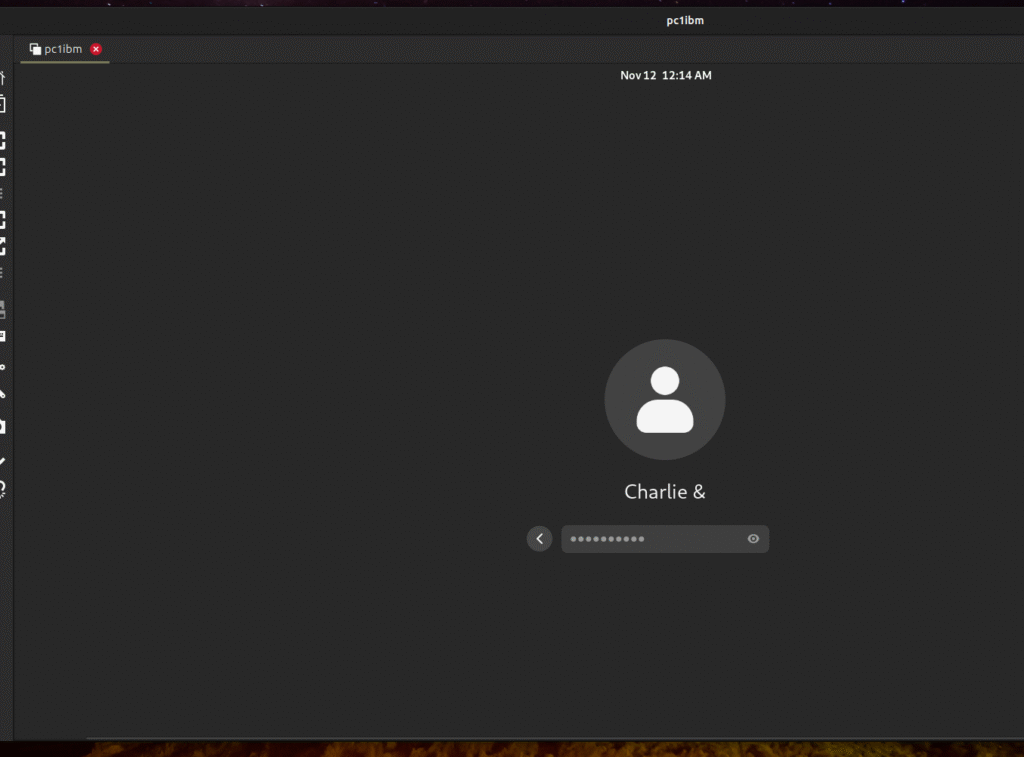
это ищо не все, любит оболочка зависать. проверять – начиная со startx , gdm3 gnome-shell и все-все.
Крысик намного шустрее, чем gnome – xorg . В 48 версии, похоже, работает через линукс эмулятор, скорость 5 кадров в секунду. А на видео – проверочная программа выдает 60 кадров, да и видео с youtube работает без задержек. Xfce Wayland sddm – RTX-3060 от NVidia Плата считатся не дорогой, это сейчас 2025 год, и чуть побыстрее , чем Radeon 580 – самой известной из не дорогих у игрулей и неплохо дружащих с Linux Ubuntu c 2016 года. В режиме рассчета криптовалюты у Radeon 190w , У Nvidia 3060 – примерно 270w. Скорости – 4600 подсчетов по алгоритму monero и 6000 примерно, это только на проверке, плата используется для обработки видео и подсчетах на сайте, возможно даже AI .
скорость работы соответствует, ну побыстрее, чем на windows и может, как на Ubuntu и Radeon RX-580 .
использована инфа – https://gist.github.com/mostly-bsd/4d3cacc0ee2f045ed8505005fd664c6e?fbclid=iwar3t6bburomfm1jym88lsr3q9trdtfufznft5ukulskpqvxddao5fzwatgm только она про более старый способ, без настройки платы напрямую.
Как подключить диск с компьютера , где windows 11? Ну да, снять его и подключить, установив ntfs-3g. А по сети?? Опять заморочка, mount_smbfs понимает только smb1 и почему то не собирается на 15 версии..
Ставим fusefs-smbnetfs ( 2025 smb v2 smb v3? sddm? Thunar Gnome-terminal, Nautilus & MC not support!)
pkg install fusefs-smbnetfs
mkdir ~/.smb
mkdir /mnt5
cp /usr/local/etc/smb.conf /usr/local/share/doc/smbnetfs-0.6.3/smbnetfs.conf ~/.smb/ // correct – ver 0.6.3 or not?
echo “auth Server1 Administrator 1PassWorrd!” >> /root/.smb/smbnetfs.auth ( env SHELL=csh mcedit ~/.smb/smbnetfs.auth )
еще исправить в конфиге или .auth ..
host Server1 visible=true
chmod 600 /root/.smb/smbnetfs.auth
kldstat  // fusefs smbfs loaded?
# kldstat
Id Refs Address                Size Name
 1   99 0xffffffff80200000  1f4da98 kernel
 2    1 0xffffffff8214f000   6227e8 zfs.ko
 3    1 0xffffffff82772000    62208 linux64.ko
 4    7 0xffffffff827d5000    21848 linux_common.ko
 5    3 0xffffffff827f7000     d3a8 mqueuefs.ko
 6    1 0xffffffff8333c000     3570 fdescfs.ko
 7    1 0xffffffff83340000     73c0 linprocfs.ko
 8    1 0xffffffff83348000     440c linsysfs.ko
 9    1 0xffffffff8334d000    14a88 nvidia-drm.ko
10    1 0xffffffff83362000    8a190 drm.ko
11    1 0xffffffff833ed000     22b8 iic.ko
12    1 0xffffffff833f0000     4120 linuxkpi_video.ko
13    2 0xffffffff833f5000     7358 dmabuf.ko
14    1 0xffffffff833fd000     3378 lindebugfs.ko
15    2 0xffffffff83600000  6068378 nvidia.ko
16    2 0xffffffff83401000    32320 linux.ko
17    1 0xffffffff83434000   1652f8 nvidia-modeset.ko
18    1 0xffffffff8359a000    14958 fusefs.ko
19    1 0xffffffff835af000    18648 smbfs.ko
20    2 0xffffffff835c8000     4810 libiconv.ko
21    2 0xffffffff835cd000     3100 libmchain.ko
22    1 0xffffffff835d1000     3390 acpi_wmi.ko
23    1 0xffffffff835d5000     21e8 hms.ko
24    1 0xffffffff835d8000     30a8 hidmap.ko
25    1 0xffffffff835dc000     4250 ichsmb.ko
26    1 0xffffffff835e1000     2178 smbus.ko
27    1 0xffffffff835e4000     3400 uchcom.ko
28    1 0xffffffff835e8000     4e10 ucom.ko
smbnetfs /mnt5 -o allow_other
pkg install xfce sddm
Открываем из крыски менеджер файлов Thunar и переходим на /mnt5 . Если опция установки прав доступа для всех – не пропущена, то покажет сетевой диск. Из-под рута он не работает. Midnight Commander отлично подключается под ssh sftp – это к unix подобным системам, а вот на винде список файлов не показывает. Nautilus gnome47 – то же, рисует пустой экран. Только Thunar.
kldstat
Id Refs Address Size Name
1 99 0xffffffff80200000 1f4da98 kernel
2 1 0xffffffff8214f000 6227e8 zfs.ko
3 1 0xffffffff82772000 62208 linux64.ko
4 7 0xffffffff827d5000 21848 linux_common.ko
5 3 0xffffffff827f7000 d3a8 mqueuefs.ko
6 1 0xffffffff8333c000 3570 fdescfs.ko
7 1 0xffffffff83340000 73c0 linprocfs.ko
8 1 0xffffffff83348000 440c linsysfs.ko
9 1 0xffffffff8334d000 14a88 nvidia-drm.ko
10 1 0xffffffff83362000 8a190 drm.ko
11 1 0xffffffff833ed000 22b8 iic.ko
12 1 0xffffffff833f0000 4120 linuxkpi_video.ko
13 2 0xffffffff833f5000 7358 dmabuf.ko
14 1 0xffffffff833fd000 3378 lindebugfs.ko
15 2 0xffffffff83600000 6068378 nvidia.ko
16 2 0xffffffff83401000 32320 linux.ko
17 1 0xffffffff83434000 1652f8 nvidia-modeset.ko
18 1 0xffffffff8359a000 14958 fusefs.ko
19 1 0xffffffff835af000 18648 smbfs.ko
20 2 0xffffffff835c8000 4810 libiconv.ko
21 2 0xffffffff835cd000 3100 libmchain.ko
22 1 0xffffffff835d1000 3390 acpi_wmi.ko
23 1 0xffffffff835d5000 21e8 hms.ko
24 1 0xffffffff835d8000 30a8 hidmap.ko
25 1 0xffffffff835dc000 4250 ichsmb.ko
26 1 0xffffffff835e1000 2178 smbus.ko
27 1 0xffffffff835e4000 3400 uchcom.ko
28 1 0xffffffff835e8000 4e10 ucom.ko
а это подключить диск ssd второй, с разметкой ext4 Linux Ubuntu.
fuse-ext2 /dev/nda0p2 /mnt1 -o rw+
если zfs – две пластинки nda0 1 2 – ssd disk 1tb и hdd 4tb – ZFS разметка лучше для хранилища данных, только – все равно надо архив, сами диски стали ломаться часто.. На FreeBSD и Ubuntu – zfs сразу при установке есть, как основной вариант.
zpool import zfsdisk -o altroot=/mnt3
zpool import tank -o altroot=/storage
zpool import sd2 -o altroot=/sd2
zfs mount tank/ROOT/default
оболочку поменял для root – теперь Миднайт нормально работает. ( а скрипты если надо вызывают bash )
pw user mod root -s /bin/csh
disk ext4
один накопттель оказался от Ubuntu 2025 – подключется нормально –
ext4
pkg install fusefs-ext2
check disk from Ubuntu first
fuse-ext2 /dev/nda0p2 /mnt1 -o rw+
/usr/local/sbin/fsck.ext4 -p /dev/nda0p2 – надо сначала проверить на ошибки.
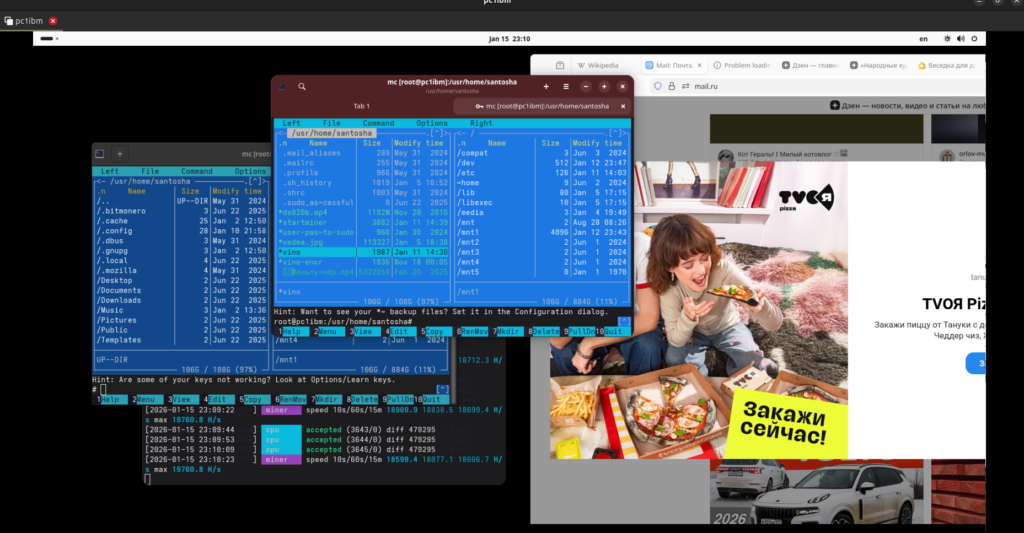
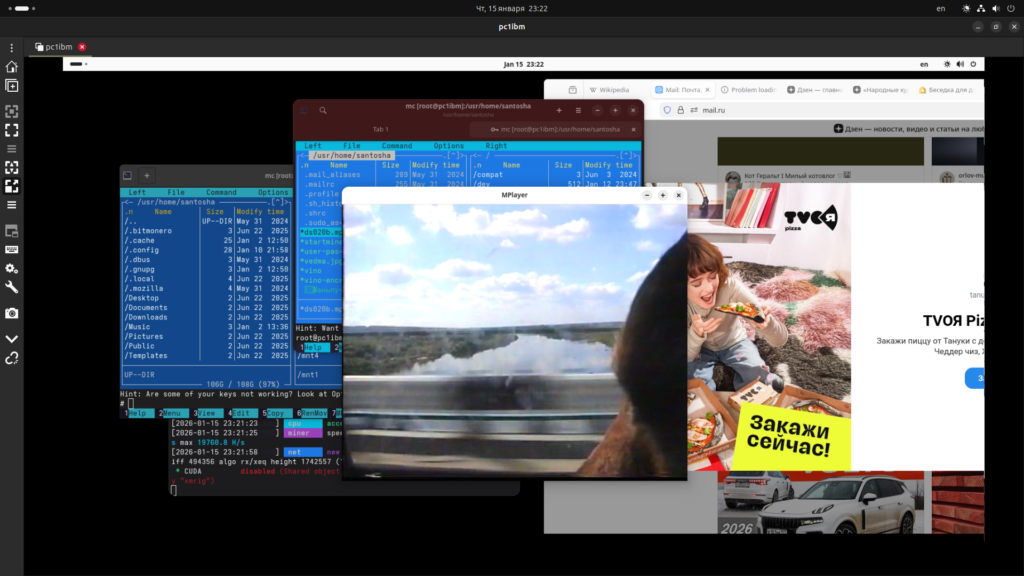
не , из крыски набрал выход – logout и зашел в gnome (47) под пользователем. Намного лучше, конечно , работать, есть и ночной свет и подстройка по монитору, не режет по глазам.
